
Structure
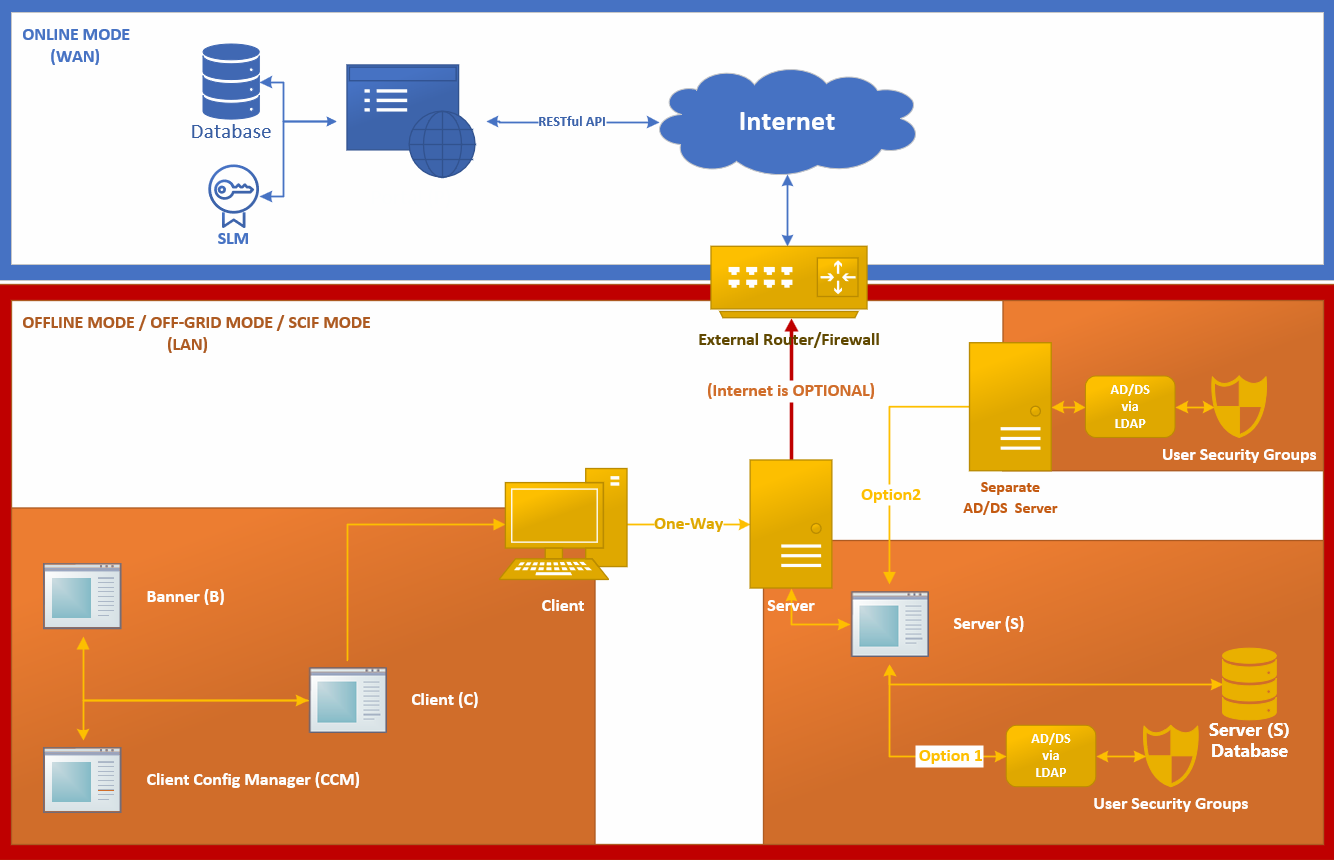
In Air Gap or Offline Mode, communications remain within your local area network environment. Clients initiate outbound secure WebSocket connections to the CICB server on port 56789 by default. The client sends operational metadata required for banner management and receives configuration data needed to apply the correct banner settings.
The client does not communicate directly with the public internet as part of normal offline operation. For different deployment scenarios, refer to the Network Topology article.
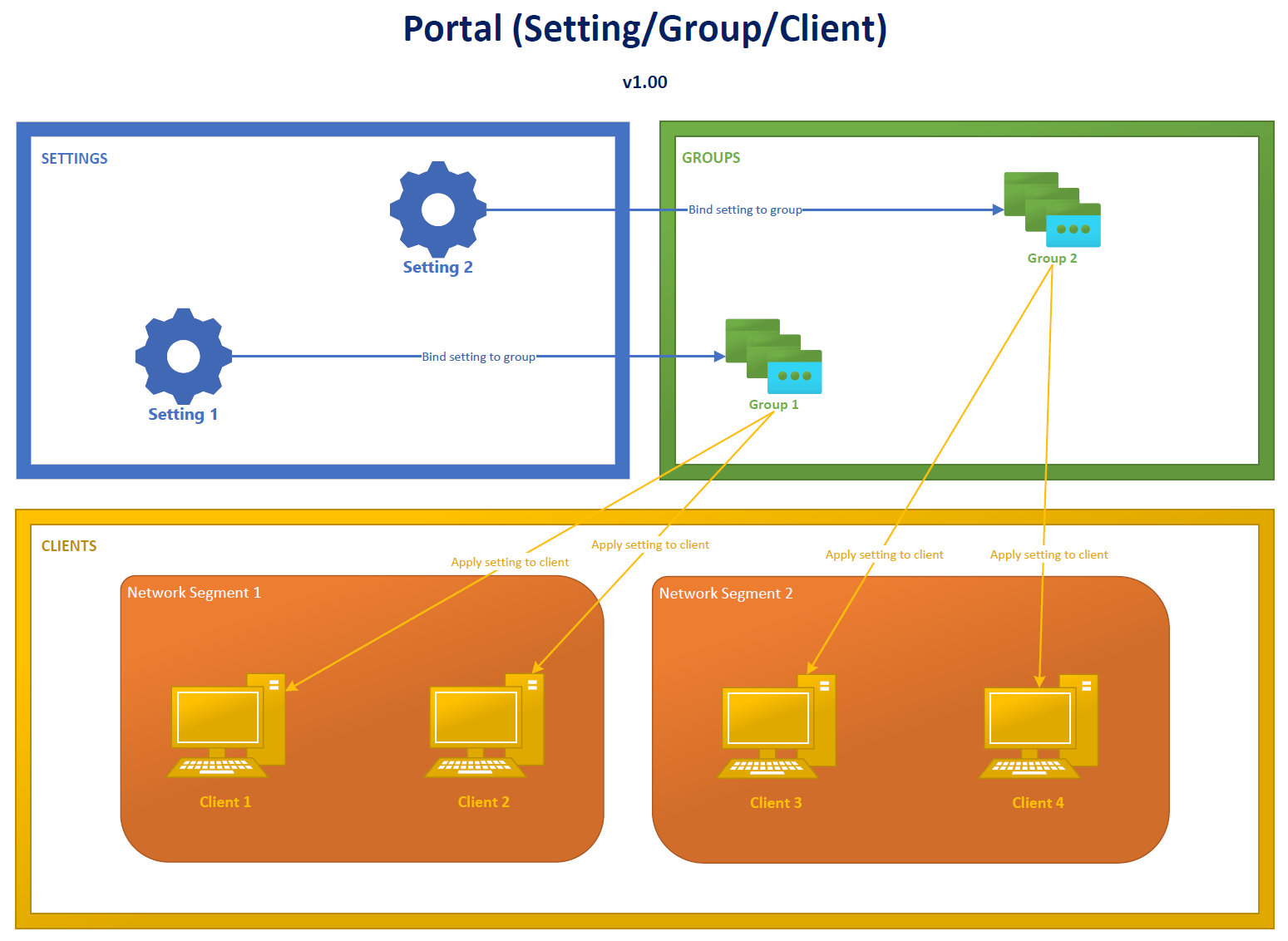
Portal Entity Relationships
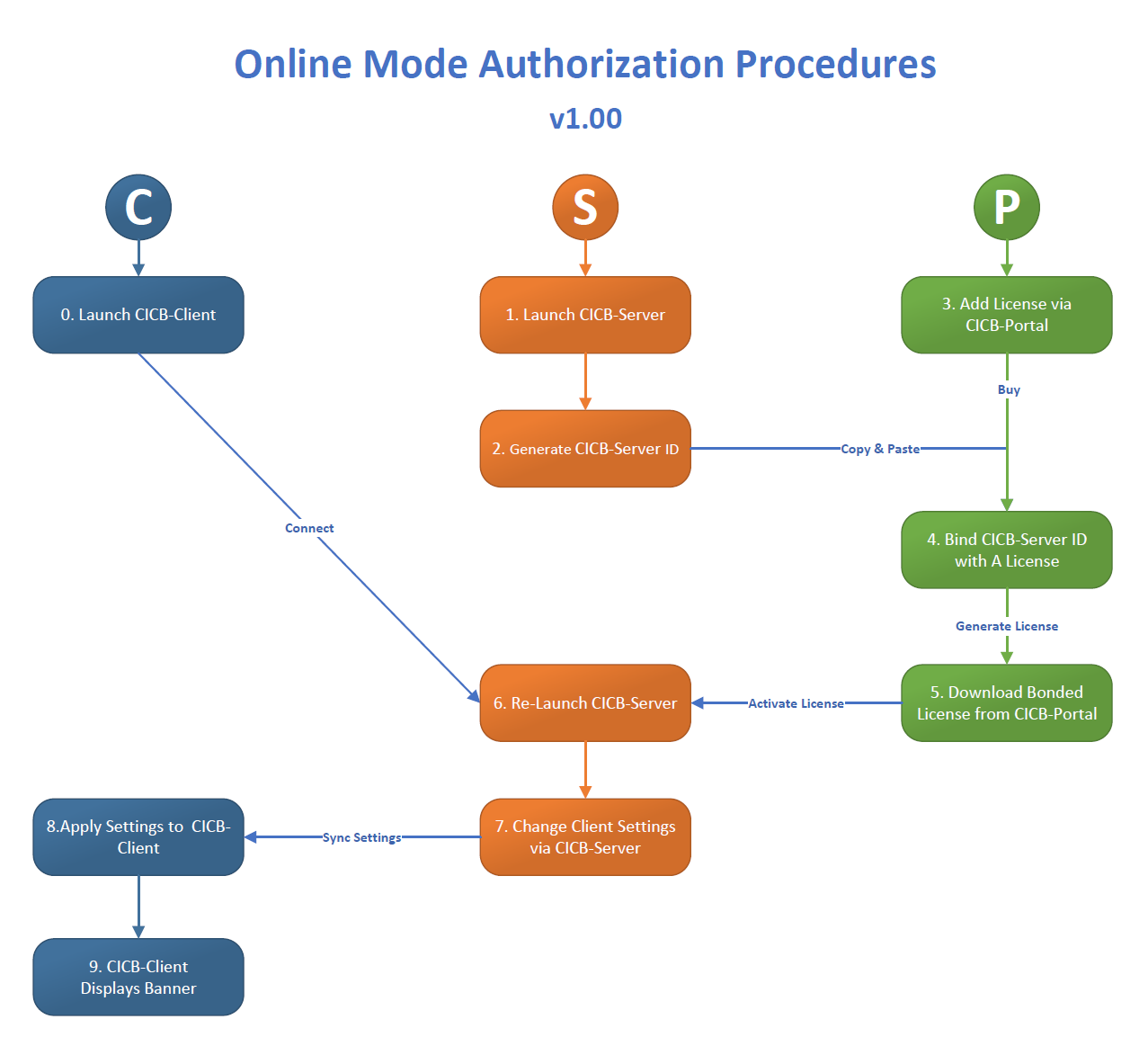
From the CICB portal, administrators can manage licensing and, where applicable, portal-managed settings. Portal-related capabilities depend on the enabled operating mode and supported feature set for the current release.
System Components
- Banner (B)
- Client (C)
- Client Config Manager (CCM)
- Server (S)
- Portal (P)
The portal is a web-based control plane for licensing and supported management workflows.
Component Relationship Notes
- One software portal account can manage multiple licenses.
- One license can be assigned to one server identity at a time.
- One operating system can support multiple monitors, subject to license-tier limits.
- Display count and advanced features depend on the active license.